• Faculty
  • UGM Library
  • English
    • English
    • Bahasa Indonesia
Universitas Gadjah Mada Universitas Gadjah Mada
Faculty of Economics and Business
Library and Archive Unit
  • Home
  • Profile
    • About Us
    • Library Staff
  • Services
    • Types of Service
    • Service Rates
    • Memberships
    • Violation/Penalty
  • Our collections
  • Guides
    • E-Book Access
  • Home
  • Video Gallery

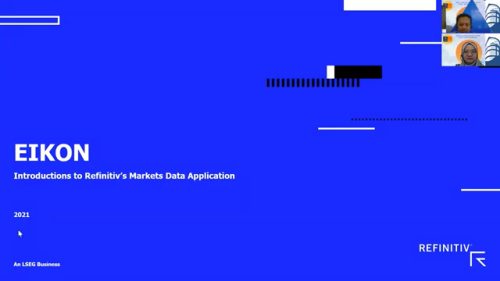
Training Refinitiv Eikon

  • Video Gallery
  • 23 May 2025, 07.30
  • By : ekohari

Related Posts

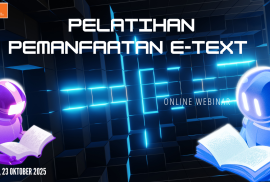
E-Text Access Training

Video Gallery Tuesday, 9 December 2025


.

Library Service Hours During the Semester Exam

Announcements Friday, 5 December 2025

To support students’ learning process during the exam period, library service hours will be adjusted as follows:

Monday – Friday: 07.30 – 21.00 WIT

Saturday: 10.00 – 15.00 WIT

This provision is effective from December 8 – 19, 2025.

.

Trial Access Wiley E-book

Announcements Friday, 17 October 2025

Dear User,
To support academic and research activities within Gadjah Mada University, we would like to inform you that the Library and Archives, in collaboration with Wiley publishers, will conduct a trial access to the Wiley e-book collection.

Thesis Self-Upload Procedure from Outside UGM Network

Announcements Tuesday, 23 September 2025

Dear Academic Community, Due to data and network security reasons, the self-upload of final theses by students OUTSIDE the UGM network will be done using the following procedure:

PREPARATION

  • Make sure you have a UGM email account (SSO)
  • Install the UGM OpenVPN application on your laptop/computer using your UGM email account/SSO account
  • UGM Install UGM OpenVPN as follows:
  • Download the latest version 3 OpenVPN Connect package from the following link: https://openvpn.net/downloads/openvpn-connect-v3-windows.msi
  • Download the UGM 110 Mult backend VPN profile at http://ugm.id/openvpn110
  • Follow the UGM VPN installation process; see the guide at the URL link: http://ugm.id/panduanopenvpn110 (the document must be accessed with a UGM SSO account)
  • Prepare the web browser application Mozilla Firefox, Safari, or Chrome.

UPLOAD PROCESS PROCEDURE

  • Activate the VPN connection on the laptop/computer/Android device that will be used for the process Self-Upload
  • Open the Self-Upload website with the URL https://unggah.etd.ugm.ac.id
  • Make sure you have no outstanding books or outstanding fines at the UGM Library
  • Follow the upload procedure according to the steps provided on the self-upload portal

NOTES:

For self-upload process through the UGM network (on campus), whether via wired or Wi-Fi,  OpenVPN access is not required.
Universitas Gadjah Mada

Universitas Gadjah Mada
Faculty of Economics and Business
Library and Archive Unit
St. Sosio Humaniora No.1, Bulaksumur, Yogyakarta, Indonesia 55281
(Learning Center Building 2nd, 3th, 4th Floor)
+62 (274) 548510 ext 220
+62 (274) 563212

Web Analytics

© Universitas Gadjah Mada - Faculty of Economics and Business

Beranda